
KnowCode – A Unit of DigitalSquad LLC.

September 2026

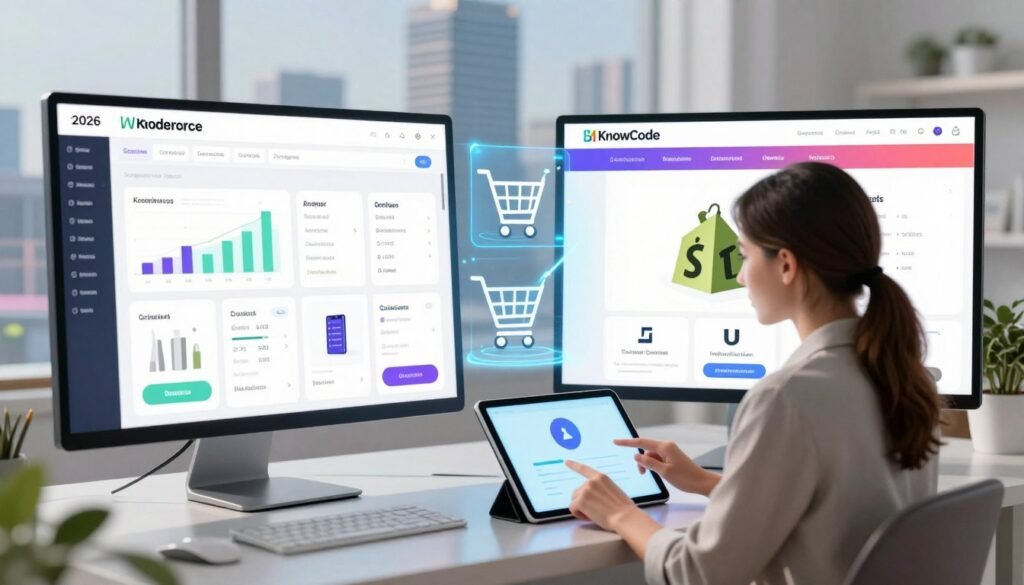
How to Reduce Cart Abandonment Rate

12 Proven Ways to Reduce Cart Abandonment

A striking share of online shopping carts never make it to checkout — roughly seven in ten, by most estimates. For online stores, that’s a substantial amount of lost revenue sitting in plain sight, and also a clear opportunity: fix the friction, and a meaningful chunk of that revenue comes back. Small, deliberate changes throughout the buyer journey are usually enough to move the needle. Below are 12 practical strategies for reducing cart abandonment rate, covering everything from upfront pricing to flexible payment options. Need help applying these to your store? Call (404) 984-2226 or email business@knowcode.us. Key Takeaways A large share of shoppers leave items behind, representing a major revenue gap. Small, consistent adjustments compound into meaningfully better conversion numbers. Transparent pricing and guest checkout are foundational, not optional. Recovery messaging brings a real percentage of hesitant shoppers back. Personalized guidance is available — call (404) 984-2226 for expert input. How to Reduce Cart Abandonment Rate Before Checkout Cart abandonment usually starts well before the checkout screen. Setting clear expectations early builds trust and helps reduce e-commerce bounce rate before it ever becomes a checkout problem. Display Total Costs, Shipping Fees, and Sales Tax Early Show an accurate order estimate on product and cart pages Displaying a realistic total — including tax and shipping — on product and cart pages lets shoppers budget accurately from the start, long before they reach payment. Offer Free or Predictable Shipping Options Set clear delivery dates and free-shipping thresholds for U.S. shoppers Clear free-shipping thresholds encourage larger orders, and visible delivery estimates remove the guesswork that often stalls a purchase for U.S. shoppers specifically. Remove Forced Account Creation Provide guest checkout while offerring optional account benefits Guest checkout keeps the process quick, and account benefits like order tracking can still be offered as an optional add-on after the purchase is complete. Build Trust With Security Signals and Transparent Policies Highlight secure payment processing, returns, refunds, and customer support Visible security badges alongside easy-to-find return and refund policies go a long way toward reassuring hesitant buyers. For help implementing cart abandonment solutions, call (404) 984-2226 or email business@knowcode.us. Keep Product Information Consistent From Product Page to Cart Confirm product variations, quantities, availability, and delivery details Confirming that variations, quantities, and availability stay consistent throughout the journey helps reduce ecommerce bounce rate driven by confusion alone. Reduce Ecommerce Bounce Rate With a Faster Mobile Experience Optimize page speed, responsive layouts, and mobile cart interactions A sluggish mobile experience often ends in an immediate exit, so prioritizing page speed and responsive layouts keeps mobile shopping smooth rather than frustrating. Checkout and Abandoned Cart Recovery Solutions The final stretch of the funnel is often where a sale is won or lost. Removing friction here matters just as much as everything leading up to it. Optimize the Checkout Process With Fewer Fields Every extra form field is a small obstacle, and obstacles add up. Use autofill, address lookup, and a clear progress indicator Autofill and address lookup tools cut down on manual typing, and a clear progress indicator helps shoppers understand exactly how many steps remain — both of which help optimize checkout process speed and increase conversion rate. Provide Multiple Payment Methods Shoppers expect flexibility at the point of payment. Support credit cards, PayPal, Apple Pay, Google Pay, and buy-now-pay-later options Supporting a full range of payment methods means no one abandons simply because their preferred option isn’t available — and one-tap digital wallets tend to encourage larger order values too. Prevent Checkout Errors With Helpful Validation A small input mistake shouldn’t cost someone their entire order. Explain payment, address, coupon, and inventory errors without clearing entered data Real-time validation that explains exactly what’s wrong — without wiping out what’s already been entered — keeps minor errors from turning into abandoned carts. “The goal of a great checkout is to make the technology invisible so the customer can focus entirely on the excitement of their purchase.” Use Strong, Relevant Calls to Action Buttons should make the next step obvious. Make the next step obvious and reinforce the value of completing the purchase Swapping generic labels for action-driven phrasing — “Complete My Order” instead of “Submit” — reinforces the value of finishing and gives the conversion rate a small but real boost. Recover Abandoned Carts With Timely, Personalized Messages A well-timed nudge can turn a lost sale into a completed one. Build an email and SMS sequence with reminders, product details, and useful incentives An early reminder — ideally within the first hour — followed by a second message with a modest incentive like a discount or free shipping tends to bring hesitant shoppers back, especially when the message includes the specific items they left behind. Measure Drop-Off Points and Test Improvements Continuously Ongoing data is what turns these tactics into lasting results. Track checkout analytics, run A/B tests, and monitor conversion rate changes Testing different button copy, form layouts, or shipping messaging helps optimize checkout process performance over time. For help with the technical side, call (404) 984-2226 or email business@knowcode.us. Strategy Primary Benefit Impact Level Address Lookup Reduces typing errors High Digital Wallets Speeds up payment Very High Progress Bars Sets clear expectations Medium Error Validation Prevents frustration High Conclusion A smooth path to purchase comes down to clarity — upfront pricing, predictable shipping, and an easy guest checkout all remove the friction that typically causes carts to get abandoned in the first place. Recovery strategies matter just as much as prevention. Watching where users actually drop off tells you exactly which problem to fix first, rather than guessing. Start with the single biggest friction point in your checkout, fix it, and measure the impact before moving to the next. Small, steady improvements compound into real revenue gains over time. Our team at KnowCode helps stores work through exactly this kind of optimization. Call (404) 984-2226 or email business@knowcode.us — we’re ready to help you hit your sales goals. FAQ What is the most effective

12 Proven Ways to Reduce Cart Abandonment Read More »

How to Test a Mobile App Before Launch

The Pre-Launch Mobile App Testing Checklist

First impressions with software are brutal — a large share of users abandon an app the moment they hit a technical glitch, and there’s rarely a second chance to win them back. That single fact is why the final stretch before launch matters as much as everything that came before it. The last mile of development can feel overwhelming, which is exactly why we put together this walkthrough on how to test a mobile app before launch. The goal is a clear, professional path from “almost ready” to “actually ready.” Solid pre-launch testing keeps an app stable, secure, and genuinely usable. This checklist covers the areas that matter most — functionality, performance, and store readiness — so issues surface while they’re still cheap to fix, not after launch when they’re expensive. Questions along the way? Call (404) 984-2226 or email business@knowcode.us — we’re glad to help. Key Takeaways Functionality comes first — it’s the fastest way to lose a user if it breaks. A structured checklist keeps performance and security metrics from slipping through the cracks. Documenting every defect makes the final debugging push far more efficient. Store readiness checks prevent last-minute rejections from Apple or Google. Professional support is worth bringing in when technical issues get complicated. How to Test a Mobile App Before Launch: Set Up the Test Plan Testing without a plan tends to miss things. A solid plan up front is what keeps quality standards consistent across the whole process. Define the App’s Platforms, Devices, and User Flows Cover iOS and Android Versions, Screen Sizes, and Hardware Profiles Start by mapping out exactly what the app needs to support — operating system versions, screen sizes, and hardware variations. Testing across that range is what keeps the experience consistent no matter what device someone’s using. Prioritize Sign-Up, Login, Checkout, Notifications, and Core Features Not every feature carries equal weight. Sign-up, login, and checkout get tested first because they’re the paths users hit immediately — followed closely by notifications and whatever core functionality defines the app. Prepare Test Accounts, Builds, Data, and Environments Separate Development, Staging, Beta, and Production Configurations Keeping development, staging, and beta environments cleanly separated is what makes test results trustworthy. Mixing environments is one of the more common ways bugs slip through unnoticed. Protect Test Data and Document Expected Results Sensitive data gets swapped for realistic dummy data during testing, and every test case gets a documented expected outcome. That combination makes it much faster to spot when something’s actually gone wrong. Choose Mobile App Testing Tools and Reporting Standards Combine Real Devices, Emulators, Crash Reporting, and Test Management Tools The right mix of tools matters. Real devices catch what emulators miss; emulators speed up early-stage checks, and crash reporting tools flag failures the moment they happen. Record Reproduction Steps, Severity, Screenshots, Logs, and Ownership Good bug reports are specific, not vague. Every defect gets logged with: Clear, step-by-step reproduction instructions A severity and priority rating Screenshots or screen recordings as visual proof System logs and a named owner responsible for the fix If you need a hand with your testing plan or tooling, call (404) 984-2226 or email business@knowcode.us. Run Functional and Usability Tests Across Real-World Scenarios Surface-level checks aren’t enough — real usage patterns reveal problems that a quick pass-through won’t. For expert support, call (404) 984-2226 or email business@knowcode.us. Verify Core Features and End-to-End User Journeys Test Installation, Updates, Permissions, Authentication, and Account Recovery Installation is the first thing a user experiences, so it needs to work cleanly across OS versions and preserve data through updates. Permission requests should be clear, authentication should stay simple without sacrificing security, and account recovery needs to work smoothly to avoid frustrating locked-out users. Validate Forms, Payments, Deep Links, Push Notifications, and Offline Behavior Forms get checked carefully for validation errors, and payment flows get tested with security in mind. Deep links and push notifications need to behave exactly as expected, and offline states shouldn’t break the app or lose user data. Check Navigation, Accessibility, and User Experience Review Touch Targets, Text Readability, Screen Reader Support, and Color Contrast An app that works well for everyone starts with the basics — tap targets sized appropriately, text that’s genuinely readable, solid screen reader support, and color contrast that doesn’t exclude anyone. Test Rotation, Keyboard Behavior, Back Navigation, and Interrupted Sessions Real usage means rotating the device, switching apps mid-task, and getting interrupted by calls. Testing needs to cover all of it — keyboards that don’t cover input fields, back navigation that behaves predictably, and app state that survives interruptions intact. Perform Mobile App Beta Testing With Representative Users Recruit Testers With Different Devices, Connectivity Conditions, and Accessibility Needs Beta testing brings in real-world variation — different devices, different network conditions, different accessibility needs — surfacing issues that internal testing alone tends to miss. Collect Behavioral Feedback, Usability Issues, Crashes, and Feature Requests Watching how beta users actually behave reveals friction points that wouldn’t show up otherwise. Crash reports and usability complaints get prioritized first, and the resulting feedback shapes what gets fixed before launch. Apply App Testing Best Practices Before Fix Verification Retest Resolved Defects and Run Regression Tests on Unchanged Features Following solid app testing best practices means confirming every fix actually works — and running regression tests across unaffected areas to make sure nothing new broke in the process. Block Release for Critical Failures, Data Loss, Security Risks, or Broken Purchases Some issues are non-negotiable. Major bugs, data loss risk, security vulnerabilities, or broken payment flows are grounds to hold a release, full stop. Testing Category Primary Focus Goal Functional Core Features Ensure logic works Usability User Experience Improve ease of use Accessibility Inclusivity Meet compliance standards Regression Stability Prevent new bugs Measure Mobile App Performance and Security Before Release A launch’s success rides heavily on performance and data protection. A thorough technical audit at this stage is what keeps an app meeting modern user expectations. For a professional review, call (404) 984-2226

The Pre-Launch Mobile App Testing Checklist Read More »

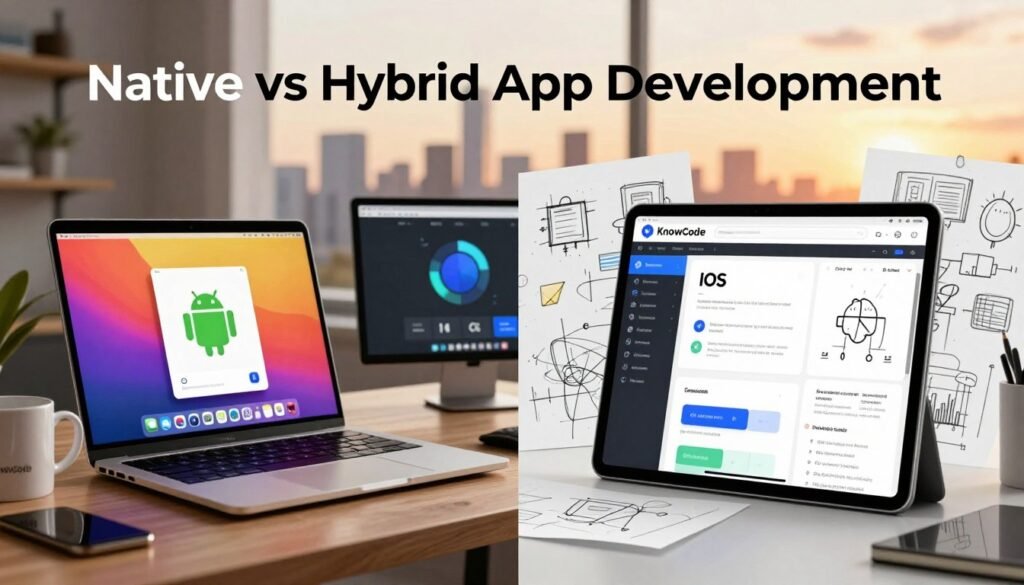
Native vs Hybrid App Development

Native vs. Hybrid Apps: Pros, Cons, and How to Choose

A slow-loading app loses users fast — three seconds is roughly the window before people give up and move on. That kind of impatience is exactly why the choice between native and hybrid app development isn’t a minor technical detail; it shapes how your product performs from the first tap. We help clients work through that decision constantly. It affects your budget, how quickly you can ship, and ultimately how your users feel using the product day-to-day. Native app development leans on a device’s own hardware for the smoothest possible experience. Hybrid app development trades some of that specificity for speed — one codebase, multiple platforms, faster time to market. Landing on the right choice comes down to understanding both your business goals and your technical constraints. Need a second opinion on your project? Call (404) 984-2226 or email business@knowcode.us. Key Takeaways Performance requirements often settle the native-versus-hybrid question on their own. Budget and timeline realities shape your technical strategy as much as preference does. User experience is still the biggest factor in whether people stick around long-term. Ongoing maintenance looks very different depending on which architecture you pick. A short consultation can save real time by aligning your tech choice with your actual goals. Native vs Hybrid App Development: How Each Approach Works How you build an app determines how it performs, scales, and interacts with the device it’s running on. Understanding the mechanics behind each approach makes the decision a lot less abstract. What Native Apps Offer for iOS and Android Development Platform-specific languages, app development tools, and user experiences Native apps are written specifically for one operating system — Swift or Objective-C for iOS, Kotlin or Java for Android. That specificity is what gives native apps their signature fluid, responsive feel. Performance, device integration, security, and maintenance considerations Because native code talks directly to hardware like the camera and GPS, native app development tends to win on both performance and security. The tradeoff is maintenance: two separate codebases mean more time and more resources to keep both platforms current. How Hybrid Apps Support Cross-Platform App Development Shared codebases, web technologies, and app development frameworks Hybrid apps run on a single shared codebase built with familiar web technologies — HTML, CSS, and JavaScript — deployed through frameworks like React Native or Flutter. That shared foundation is what makes cross-platform app development so much faster to ship. Common tradeoffs involving speed, responsiveness, and platform features The tradeoff shows up in complex animations or features that lean heavily on device hardware, where hybrid apps can feel a step behind native performance. Weighing that tradeoff against your actual feature list is where the real decision happens. For a second opinion, call (404) 984-2226 or email business@knowcode.us. Compare the Pros, Cons, and Costs Before Choosing Picking a development path means being honest about your goals, your resources, and how the app needs to hold up over time. Native App Development Pros and Cons Advantages: performance, polished mobile app design, reliability, and deep hardware access Native apps deliver unmatched performance because they run directly on the device’s operating system. That translates into a polished feel, dependable reliability, and full access to hardware capabilities like the camera and GPS. Disadvantages: separate iOS and Android development, higher costs, and longer timelines The catch is cost and timeline. Native development means separate codebases for iOS and Android, which usually calls for a larger team or two teams working in parallel — and that adds up in both budget and delivery time. Hybrid App Development Pros and Cons Advantages: faster launches, shared maintenance, broader reach, and efficient testing Hybrid development gets you to market faster because one codebase covers every platform. That also simplifies ongoing maintenance, extends your reach across more devices, and streamlines testing throughout cross-platform app development. Disadvantages: framework limitations, inconsistent platform behavior, and possible performance issues The downside is framework limitations — behavior can vary slightly across platforms, and performance may lag on especially demanding tasks compared to a native build. Match the Development Approach to Our Product Requirements Choose native development for demanding graphics, complex interactions, or advanced device capabilities Native development makes the most sense when your app depends on high-end graphics, intricate interactions, or advanced hardware features that need direct system-level access. Choose hybrid development for business apps, content platforms, prototypes, and budget-conscious launches Hybrid development is usually the better fit for business apps, content platforms, early-stage prototypes, or any project where budget constraints are part of the equation from day one. Evaluate Budget, Team Skills, Timeline, and Long-Term Scalability Compare staffing needs, app development tools, framework support, and expected maintenance Before locking in a direction, it’s worth checking whether your team already has the skills the chosen mobile app development tools require — and how well-supported the framework is likely to be over the long run. Assess analytics, updates, accessibility, mobile app design, and future feature expansion It’s also worth thinking past launch: how easy will it be to add analytics, ship updates, or expand features later? A strong mobile app design needs to stay accessible as it grows, and planning for that now avoids expensive rework down the line. Use a Practical Selection Process Before Development Begins Define target users, required features, supported devices, and success metrics Start by defining your target users, the features they actually need, the devices you’re supporting, and what success looks like. That clarity keeps the entire project focused from day one. Build a focused prototype and test performance on representative iOS and Android devices From there, build a focused prototype and test it on real iOS and Android devices. Early testing tends to surface issues in a cross-platform app development plan long before they become expensive to fix. Get Guidance for a Native or Hybrid App Decision Explain how Knowcode can evaluate our goals and recommend a suitable development path Choosing between native and hybrid is a decision with real budget implications, and it’s not one you have to make alone. At

Native vs. Hybrid Apps: Pros, Cons, and How to Choose Read More »

Mobile App Development Company

Trusted Mobile App Development Company in the United States

Think about how often you actually pick up your phone versus a laptop these days. For most people, over 90% of their screen time now happens on a smartphone, almost entirely inside apps rather than a browser. That shift means a business without a strong mobile presence is genuinely missing where its audience actually spends time. As a top mobile app development company, we help build high-quality digital products specifically for the US market. We build custom solutions aimed at real engagement and real growth, not just a functional app that checks a box. Our team offers full app development services to handle the genuine complexity of modern software engineering. The goal is giving your brand exactly what it needs to compete in a genuinely crowded field. Ready to turn your idea into an actual app? Reach out to our team. Call (404) 984-2226 or email business@knowcode.us to talk through your project today. Key Takeaways Over 90% of smartphone usage happens inside software applications, not browsers. Professional engineering is essential for real success in the US digital market. We provide solutions tailored specifically to your business goals, not a generic template. Direct communication ensures your project requirements are genuinely understood from the start. Contact us at (404) 984-2226 to start your digital transformation. Navigating the Mobile App Development Lifecycle Building a successful mobile app takes a genuinely clear plan from the very first conversation through launch. We follow a tested method to make sure each stage aligns with your actual business goals, which keeps things transparent and on schedule while avoiding the common traps. Defining Your Project Scope and Requirements Strong app development starts with a genuinely thorough discovery phase. We work alongside you to map out every feature, user need, and technical constraint before a single line of code gets written. That upfront clarity is what prevents scope creep later and keeps the final product aligned with what you actually asked for. Ready to begin your project? Call (404) 984-2226 or email business@knowcode.us for a detailed consultation. Our team is ready to turn your ideas into a solid, actionable plan. Wireframing and UI/UX Design Principles Genuinely strong mobile app design goes well beyond visual polish — it’s about a smooth, intuitive user experience from the first tap. We prioritize design that puts the user first, so every interaction actually adds value rather than just looking good. Our process includes: Creating simple wireframes to outline the main navigation. Building detailed prototypes to test real user paths. Refining visuals to match your brand consistently throughout. Putting user experience first is what makes an app both functional and genuinely enjoyable to use. That commitment to quality mobile app design is what sets our projects apart from a rushed, generic build. Selecting the Right Technology Stack Choosing the right tools is central to any mobile app development project. We evaluate your specific needs to select frameworks that deliver strong performance, room to grow, and genuine security. Whether native or cross-platform makes more sense for your project, we have the expertise to guide that decision. Our team stays current with the latest developments in app development to keep your software genuinely competitive. We aim to build apps that are both resilient and adaptable, growing right alongside your business rather than needing a rebuild in a year. Trust us to navigate these technical decisions with real skill and precision. How to Evaluate a Trusted Mobile App Development Company Finding the right mobile app development company is central to your app’s eventual success. You need a partner who genuinely shares your vision and brings the technical skill the market actually demands. A thorough vetting process is what ensures your investment pays off down the line. Assessing Technical Expertise and Portfolio Start by reviewing their past work closely. Genuinely strong app developers should have a varied portfolio demonstrating they can handle real complexity, not just simple builds. Check whether their prior projects actually align with what your business is trying to accomplish. Ask directly about their experience with your specific technology choices. A capable team will walk you through their approach and how they handle technical obstacles when they come up. Verifying their track record is what builds genuine confidence in their ability to deliver. The Importance of Transparent Communication Genuine communication is essential to a successful app development project — this isn’t a nice-to-have. Look for a partner who keeps you informed and communicates openly at every stage, not just at milestones. If a team is cagey about their process, treat that as a real warning sign. Contact us at (404) 984-2226 or business@knowcode.us to see how we approach this. We’re known for keeping clients genuinely informed throughout. Transparency is what ensures your finished app actually meets your expectations. Evaluating Post-Launch Support and Maintenance Once an app goes live, the real work is really just beginning. It needs updates, security patches, and new features over time. Make sure whatever mobile app development company you choose offers a genuinely strong support plan, not just a handoff at launch. Choosing top app developers means thinking about your app’s future, not just its launch day. A capable partner helps you navigate challenges and scale the app as your business grows. Evaluating their long-term support commitment matters just as much as evaluating their initial build quality. Mastering iOS and Android Development Standards Understanding the technical demands of different operating systems genuinely matters here. We focus closely on both iOS development and Android development standards, holding every US project to the highest bar we can set. Optimizing Performance for Apple Ecosystems Building genuinely strong mobile apps for Apple takes more than clean code alone. We pay close attention to memory usage and battery efficiency throughout, which is what keeps the app performing well across every device it lands on. We rely on native frameworks to make the app feel natural and genuinely responsive. That attention to detail matters for every single user, not just the ones on the newest hardware.

Trusted Mobile App Development Company in the United States Read More »

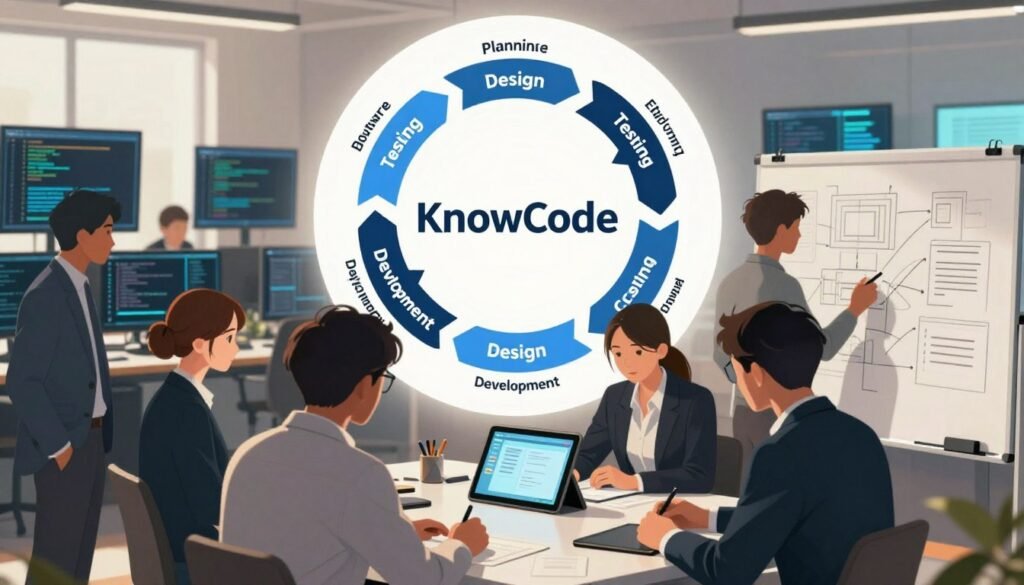
Software Development Lifecycle Explained

The Software Development Lifecycle, Explained Simply

Most failed software projects don’t fail because the idea was bad — they fail because nobody mapped out how to get from idea to working product. Roughly 70% of digital projects miss their mark, and weak planning is usually at the root of it. A clear software development lifecycle approach is what separates a project that ships on time from one that quietly stalls out. Working through a proven software development process lets us plan, build, and release something reliable, rather than improvising as we go. That structure cuts down on confusion and the expensive mistakes that come from skipping steps. It also puts better decisions within reach at every stage of the build. We believe clarity is what success is actually built on. Whether you’re launching something brand new or reworking an existing product, our team is here to walk through these stages with you. We’ll help you navigate the complexity with real confidence, not guesswork. Need help with your next project? Call (404) 984-2226 or email business@knowcode.us. We’re ready to help turn your vision into something real and dependable. Key Takeaways Structured planning meaningfully raises the success rate of digital projects. A defined workflow helps teams sidestep common pitfalls and budget overruns. Clear communication at every phase keeps the final product aligned with what users actually need. Expert guidance simplifies complex technical decisions for your business. Ongoing monitoring allows for faster fixes and stronger long-term performance. Software Development Lifecycle Explained: How the Process Works Turning an idea into a working application is a genuinely detailed process, not a single leap from concept to launch. We think of it as a sequence of stages that carries software from a rough idea all the way through to something people actually use. Following these stages of software development keeps a project on track and aimed at its actual goals. What the Software Development Lifecycle Means The lifecycle is a structured framework for building digital products. It splits a project into distinct SDLC phases, each one checking on requirements, quality, and delivery in turn. Those checkpoints are what let us track real progress and catch problems while they’re still small. Why a Defined Development Process Matters A consistent process is what keeps quality from slipping as a project grows. Without a plan in place, projects tend to drift off course fast. We rely on these methods specifically to test and verify each feature before it ships. Benefit Impact on Project Outcome Risk Mitigation Early detection of bugs Higher stability Clear Communication Aligned expectations Reduced rework Quality Assurance Rigorous testing cycles Reliable software How Teams, Stakeholders, and Users Contribute Building genuinely great software is a team effort — technical staff, business stakeholders, and real user feedback all play a part. We lean on a collaborative approach specifically to make sure the end product solves an actual problem, not a hypothetical one. Need help with your project? Call (404) 984-2226 or email business@knowcode.us. We offer expert guidance on strengthening your development workflow. The Core Stages of Software Development We break our work into clear phases to turn complex ideas into real, usable applications. Sticking to a tested software development methodology is what keeps a project on track and held to a genuinely high standard throughout. Planning and Requirements Gathering Define the Problem, Goals, Scope, and Success Measures We start by clearly defining the problem we’re actually trying to solve. Specific goals and a firm scope help avoid the slow creep that derails so many projects. Success gets measured against concrete metrics tied directly to business goals, not vague intentions. Identify User Needs, Risks, Budget, and Timeline Understanding the end user is genuinely central to getting this right. We identify risk early and build out a realistic budget and timeline from the start. That transparency keeps everyone — client and team alike — on the same page throughout. Designing the Software Solution Create the Technical Architecture and User Experience Our team builds a genuinely strong technical foundation designed for growth, not just the immediate release. We prioritize a user experience that keeps the application both powerful and easy to actually use. Choose Appropriate Tools, Platforms, and Integrations Selecting the right tech stack matters enormously here. We weigh different platforms and integrations carefully to make sure everything connects smoothly, without awkward workarounds bolted on later. Development and Code Implementation Build Features in Manageable Components We frequently rely on an agile development process to break large projects into smaller, manageable pieces. That approach speeds up delivery and creates far more opportunities for real feedback along the way. Use Version Control, Code Reviews, and Documentation Keeping code quality high requires disciplined version control paired with genuine peer review. We document every step thoroughly, both for clarity now and for maintainability down the road. Testing for Quality and Security Perform Functional, Performance, Usability, and Security Testing Quality isn’t negotiable in our process. We apply a range of software testing techniques — functional, performance, usability, and security — to catch and resolve issues well before users ever encounter them. Track Defects and Verify Fixes Before Release Every defect gets tracked in a central system, not scattered across notes and memory. We confirm each fix genuinely works and doesn’t quietly introduce a new problem elsewhere. Deployment and Release Management Move the Application Safely Into Production Moving an application into production takes real care and planning. We follow strict protocols specifically to minimize downtime and keep the experience smooth for the people actually using it. Use Staged Releases, Backups, and Rollback Plans Staged releases are how we keep risk manageable during launch. Detailed backups and clear rollback plans stay in place in case something unexpected comes up mid-release. Maintenance and Continuous Improvement Monitor Performance, Reliability, and User Feedback Our work doesn’t end at launch — that’s really just the beginning of the next phase. We keep a close eye on system performance and stay genuinely responsive to user feedback, looking for real opportunities to improve. Deliver Updates, Fixes, and New Capabilities

The Software Development Lifecycle, Explained Simply Read More »

Signs Your Business Needs Custom Software

7 Signs It’s Time to Invest in Custom Software

Most businesses don’t wake up one day and decide they need custom software. It happens gradually — a workaround here, a spreadsheet patch there — until one morning the team realizes the tools meant to support the work are actually the thing slowing it down. Rigid, off-the-shelf platforms tend to hit a ceiling exactly when a company needs them to flex the most. Spotting the signs your business needs custom software early is what keeps a growing company from hitting that wall unprepared. Teams often end up managing systems that simply don’t talk to one another, which means manual data entry becomes the default rather than the exception — a quiet tax on time that adds up fast. Deciding when to invest in custom software really comes down to looking honestly at where you’re headed, not just where you are today. A thoughtful technology investment here often marks the real turning point in a company’s broader digital transformation, not just a tooling upgrade. If sharper decision-making and stronger security matter to your next stage of growth, that’s exactly where we come in. For expert advice, call (404) 984-2226 or email business@knowcode.us to talk through your tech needs. Key Takeaways Identify the common bottlenecks caused by outdated, generic technology. Understand how tailored solutions hand back real operational control. Learn to spot inefficiencies hiding in everyday workflows. See how scalable systems shape long-term growth, not just short-term relief. Reach out for professional advice on your digital strategy. Signs Your Business Needs Custom Software Your business processes should be steering your technology choices — not the other way around. When your tools start feeling more like a cage than a solution, that’s the signal to rethink your digital strategy. A lot of companies struggle here simply because their systems were never built around their actual workflow. Repetitive Manual Tasks Consume Valuable Work Hours Hours spent daily on manual data entry add up to a genuine drain on your team’s time and morale. Thoughtful software customization for business efficiency, paired with real business automation, can eliminate a surprising share of these tasks. That shift frees people up to focus on work that actually moves the needle. Disconnected Tools Create Data Silos and Duplicate Work When your CRM and accounting software don’t communicate, fragmented data becomes the norm rather quickly. That fragmentation leads directly to duplicate work and communication gaps between teams. A unified system means everyone is working from the same accurate picture, instead of three slightly different versions of the truth. Outdated Software Limits Security, Performance, or Scalability Catching the warning signs of outdated software early is genuinely important for protecting the business. Older systems frequently miss critical security patches, which puts data at real risk. On top of that, they tend to slow down over time — frustrating employees and clients in equal measure. Off-the-Shelf Platforms Cannot Match Our Business Processes Generic software often forces a business to bend its own workflow to fit the tool’s limitations, rather than the other way around. That mismatch creates friction, and the workarounds built to compensate rarely hold up long-term. Custom solutions flip that relationship — built around your operations, supporting your actual goals instead of working against them. Frequent Errors Affect Customer Service and Decision-Making Manual processes are where human error tends to creep in, and that error can quietly damage both reputation and profit. Inconsistent data makes it genuinely hard for a team to give customers accurate, confident answers. Reliable software built for business growth closes these gaps, so your team always has the right information at the right moment. Our Business Growth Is Exposing Technology Bottlenecks As a company grows, the systems that once worked fine often start to strain under the new load. What served a five-person team rarely holds up once that team triples in size. Investing in scalable architecture is what lets your technology grow in step with the business, rather than constantly playing catch-up. We Cannot Access the Insights Needed for Better Decisions Without clear, reliable reporting, leadership ends up making decisions somewhat blind. Custom software for business growth delivers the analytics needed to make genuinely informed calls, grounded in real data rather than instinct. Curious how software customization for business efficiency could reshape your own operations? Contact us at (404) 984-2226 or email business@knowcode.us for expert advice. How to Confirm the Need and Plan Custom Software Development Building the right software starts with clear, honest data about where things actually stand. Our focus is on pinpointing exactly where current systems fall short — a critical first step in any sound software development process, and one that matters just as much for a growing business as the build itself. Document the Processes, Delays, and Costs Behind Each Problem Before diving into custom software development, it’s worth mapping out precisely which workflows are causing the slowdown. Identifying these friction points clearly is what builds a solid, evidence-based case for change, rather than a vague sense that “something’s off.” Measure Time Loss, Error Rates, Workarounds, and Missed Opportunities Tracking how much time gets lost to repetitive tasks or error correction reveals a lot more than people expect. These numbers make the actual benefits of custom software development concrete rather than theoretical, showing exactly how much money outdated systems are quietly costing. Calculate the hourly cost of manual data entry. Quantify how often errors require direct human intervention to fix. Identify the “shadow IT” workarounds employees have built to route around broken tools. Prioritize Features That Improve Efficiency and Support Growth Not every feature needs to exist on day one. Our approach centers on business process optimization through custom software, ranking features by how directly they impact your bottom line rather than building everything at once. Separate Essential Business Software Solutions From Nice-to-Have Features We sort every proposed feature into “must-haves” and “nice-to-haves” early in the process. That distinction ensures your first investment tackles the biggest, most costly problems first, rather than spreading resources thin across lower-impact additions. Compare Custom

7 Signs It’s Time to Invest in Custom Software Read More »

digital marketing trends 2026

Digital Marketing Trends 2026 What You Need to Know

Over 70% of consumer purchases are now shaped by some form of automated interaction. That number alone says a lot about how fast the business landscape is shifting under our feet. Keeping pace with changing customer habits — and with new ways of measuring what actually works — matters more than ever. Understanding digital marketing trends in 2026 is genuinely what separates businesses that stand out from those that quietly fall behind. Our goal is to guide you toward putting emerging digital marketing trends to real use in your plans. We’re focused on smart strategy, not just throwing tactics at the wall to see what sticks. Ready to apply these ideas to your business? We can help. Call (404) 984-2226 or email business@knowcode.us to talk through your strategy. Key Takeaways Consumer behavior is shifting steadily toward automated, data-driven interactions. Proactively adapting to new technology is essential for U.S. businesses right now. Deliberate, connected planning consistently beats scattered experimentation in modern campaigns. Measurement is growing more complex — and more critical to success than ever. Professional guidance is available to help you navigate these shifts effectively. How to Apply Digital Marketing Trends 2026 to U.S. Campaigns We guide brands through the complexity of 2026 by tying digital marketing strategies directly to clear, measurable goals. This is about precision and real results — not vague brand-awareness metrics. With solid data behind every decision, each dollar spent works harder for the business. Define Campaign Goals, Audiences, and Success Metrics Connect Business Objectives to Conversion, Revenue, and Retention Goals Don’t fixate on clicks or impressions alone. We recommend tying every campaign directly to revenue-generating activity and genuine customer value. That way, marketing efforts actively support the business’s financial health, not just its visibility. Segment U.S. Audiences by Intent, Location, and Customer Value Understanding the U.S. market means genuinely grasping regional differences and what people are actually looking to buy. Grouping customers by their value to your brand lets you tailor messaging with precision — and that precision is what keeps you ahead in a crowded market. Build a Strategy Around AI-Powered Personalization Use Generative AI for Content Planning and Creative Testing Today’s online marketing trends demand fast content turnaround. Generative AI helps teams move more quickly without sacrificing quality entirely. Lean on these tools for rapid A/B testing to keep messaging genuinely fresh. Combine Automation With Human Review, Brand Voice, and Data Privacy Automation is a real efficiency win, but it can’t stand in for human judgment. We believe in reviewing every AI output for a consistent brand voice before it ships. User data protection stays a priority throughout, not an afterthought bolted on later. Strengthen First-Party Data and Privacy-Ready Measurement Create Consent-Based Data Collection Across Websites, Email, and CRM Platforms Building genuine trust starts with transparent data practices. We recommend strong, clear consent systems that actually respect user privacy. First-party data is what growth increasingly hinges on in a world moving away from cookies. Measure Performance With Server-Side Tracking and Incrementality Testing Solid measurement is essential to keeping up with online marketing trends. Server-side tracking gives a far clearer view of the customer journey than legacy methods. Incrementality testing shows the actual, real impact of a campaign — not just correlation dressed up as causation. Metric Category Traditional Approach Modern 2026 Strategy Data Source Third-party cookies First-party consent data Goal Focus Traffic volume Revenue and retention Optimization Manual adjustments AI-driven automation Measurement Last-click attribution Incrementality testing Need help with these digital marketing strategies? We’re here for it. Call (404) 984-2226 or email business@knowcode.us. Let’s talk through your campaign needs and goals. Top Digital Marketing Trends Shaping Online Marketing in 2026 Staying ahead in 2026 means genuinely mastering the tools shaping modern consumer engagement. We’re watching a real shift in how brands connect with audiences, driven by more advanced tech and richer data. Focusing on these top digital marketing trends is what keeps campaigns competitive and, more importantly, effective. Use AI Search Optimization to Reach Customers Beyond Traditional Results Structure Content for Answer Engines, Search Summaries, and Conversational Queries Search has genuinely moved past the era of ten blue links. Content now needs to be optimized for AI summaries and conversational responses alike, which means leaning into natural language and direct answers to what users actually want to know. Demonstrate Expertise With Original Research, Author Signals, and Clear Sources Trust is becoming the real currency here. We focus on original research and clear author signals to establish genuine authority. Transparent sourcing is what builds lasting credibility with an audience, rather than fleeting attention. Prioritize Short-Form Video, Social Search, and Creator Partnerships Adapt Video Content for TikTok, Instagram Reels, YouTube Shorts, and LinkedIn Short-form video has become central to how people discover things. We build content specifically for platforms like TikTok and LinkedIn, so the message actually reaches people where they’re already spending their time. Evaluate Creators Through Audience Relevance, Trust, and Measurable Conversions Choosing the right creators to partner with matters a great deal for real growth. We weigh audience engagement and, critically, a creator’s actual ability to drive business results — not just follower counts. That discipline is what keeps risk down and ROI up. Make Commerce More Interactive Across Social and Retail Platforms Connect Product Feeds, Livestreams, Shoppable Video, and Mobile Checkout The line between content and commerce keeps thinning out. Integrating product feeds directly into social streams creates a genuinely seamless shopping experience, which removes friction between “I want that” and “I bought that.” Reduce Friction With Personalized Offers and Consistent Omnichannel Experiences Consistency across every touchpoint matters enormously. Personalized offers guide users whether they’re on mobile or desktop, creating a unified brand experience that genuinely builds loyalty over time — not just a one-time conversion. Use Predictive Analytics and Real-Time Marketing Automation Identify Purchase Intent, Churn Risk, and Next-Best Actions Good data lets us anticipate customer needs before they’re even voiced. Spotting purchase intent and churn risk early means automated interventions can kick in at the right moment —

Digital Marketing Trends 2026 What You Need to Know Read More »

On Page SEO Checklist 2026

On Page SEO Checklist 2026 to Boost Your Website Traffic

Think about it: almost every time someone looks for a product or service online, it starts with a simple search. So if your business isn’t landing on that first page of results, you’re basically invisible — people never even get the chance to consider you before they’ve moved on to a competitor. This guide is built to help you improve your search visibility, genuinely. By focusing on quality content and technical performance together, you can shift how people encounter your site in the first place. Our team believes lasting seo optimization is what actually drives growth — not quick tricks that fade after the next algorithm update. We offer a practical plan grounded in proven search engine optimization principles and current SEO techniques, built to align your site with where search stands today. Need help reaching your goals? Call (404) 984-2226 or email business@knowcode.us today. Let’s work together to move you up in the rankings and bring in real traffic. Key Takeaways Search visibility is the foundation on which everything else in digital growth is built. Content quality remains the single most critical factor for strong rankings. Technical performance directly shapes how users actually interact with your site. Aligning your strategy with search intent leads to genuinely better conversion rates. Professional support is available to help you put these strategies into practice. On Page SEO Checklist 2026: Build a Search-Friendly Page Foundation A solid page foundation is the starting point for strong search results in 2026. We organize content in a way that search engines can genuinely parse and understand — which is what gives each page a clear purpose for the people actually landing on it. Match Search Intent With a Clear Primary Topic Define the Main Keyword and Supporting Keyword Themes Every page should center on one main topic — spreading a page too thin across several ideas just confuses search engines. Choose a keyword that matches what your audience is genuinely searching for, then layer in supporting keywords that add real depth for the reader. A deliberate keyword strategy here is what separates pages that rank from pages that just exist. Align Page Type, User Needs, and Google Ranking Factors Understanding Google ranking factors really comes down to matching page format to what the user actually wants. Whether someone’s ready to buy or just trying to learn something, the page needs to meet that specific need. For help aligning your content, call (404) 984-2226 or email business@knowcode.us. Optimize URLs, Site Structure, and Internal Links Create Short, Descriptive, Permanent URLs Your URLs should read cleanly for both people and search bots alike. Long, cluttered URLs help no one. A descriptive URL gives search engines an immediate sense of what the page actually covers. Connect Related Pages With Helpful Internal Links Internal links help search engines navigate your site more thoroughly. We recommend linking to related articles both to keep readers engaged longer and to spread authority across your domain. This is a core piece of any solid website optimization strategy. Apply Meta Tags Best Practices Write a Compelling Title Tag With the Main Keyword The title tag is the first thing a person sees in the search results — it’s doing real work before they even click. We put the main keyword early in the title to signal relevance clearly, and keep titles under 60 characters so they display fully across devices. Craft a Benefit-Focused Meta Description Within an Appropriate Length A meta description is essentially your page’s ad copy in the search results. We write these to highlight real benefits and genuinely encourage the click. Aim for 150 to 160 characters for the best visibility. SEO Element Primary Goal Best Practice Title Tag Click-Through Rate Include main keyword early URL Structure Crawlability Keep it short and descriptive Meta Description User Engagement Focus on user benefits Internal Links Site Authority Connect relevant content Not sure how your site measures up against modern Google ranking factors? We’re glad to help. Call (404) 984-2226 or email business@knowcode.us to improve your search performance. Content Optimization Techniques That Improve Relevance and Engagement Our approach to content optimization techniques is built around connecting what users actually need with genuine search visibility. We keep content clear and well-organized, so every page has an obvious purpose and stays easy to read. Make Content Useful, Accurate, and Easy to Scan Answer the Primary Question Near the Top of the Page People are usually looking for a quick answer when they land on your site. We put the core answer within the first two paragraphs, so it meets their need right away instead of making them dig for it. Use Specific H2 and H3 Headings, Short Paragraphs, and Descriptive Lists A wall of text is genuinely overwhelming to most readers. We break content into digestible pieces, using clear headings and bulleted lists to keep people reading instead of bouncing. “Quality content is not just about the words on the page; it is about how effectively those words solve the user’s problem.” — Digital Strategy Insights Strengthen Topical Coverage and Content Quality Address Related Questions and Important Subtopics Naturally To build real authority, we expand beyond the main topic into the questions users are actually asking around it. That breadth is what demonstrates genuine expertise to search engines, not just keyword density. Demonstrate First-Hand Expertise, Accuracy, and Trustworthiness We prioritize accurate, genuinely unique information as the foundation of trust. Paired with solid meta tag best practices, that combination signals real value to search engines — not just surface-level optimization. Optimize Images and Multimedia Elements Use Descriptive File Names and Alternative Text Images need clear file names and genuine alt text, not placeholder junk. That improves accessibility and helps search engines index the images correctly in the first place. Compress Images and Add Captions When They Improve Understanding Oversized images slow a site down noticeably. We compress every piece of media, and captions get added wherever they add genuine context — not just for decoration. Optimization Area Primary

On Page SEO Checklist 2026 to Boost Your Website Traffic Read More »

Woocommerce vs Shopify for Small Business 2026

Woocommerce vs Shopify for Small Business 2026 Comparison

Nearly 70% of online stores fail within their first year. More often than not, that traces back to the wrong technical foundation from day one, not a bad product or weak marketing. Getting your digital infrastructure right is genuinely crucial — it shapes your daily operations, your customer experience, and how well you’re set up to grow. In this WooCommerce vs Shopify for Small Business 2026 guide, we walk through a detailed analysis covering pricing, maintenance, and scalability, comparing two of the most established online store platforms available today. The goal is to make sure your choice actually fits your specific situation, not just following whatever’s popular. Our WooCommerce comparison to Shopify breaks down the real pros and cons of each. Need personalized advice? Call (404) 984-2226 or email business@knowcode.us. Our experts are ready to help. Key Takeaways Platform selection directly shapes your long-term profit margins. Operational costs vary meaningfully between hosted and self-hosted solutions. Scalability matters increasingly as your customer base grows. Maintenance demands differ based on your team’s technical expertise. Professional support is available to help you land on the right choice. Woocommerce vs Shopify for Small Business 2026: Which Platform Fits Our Store? Starting an online store means understanding the real differences between these two options — not just skimming a feature list. We need to look past surface-level features to what actually matters for our long-term goals. How We Should Evaluate an Ecommerce Platform for a Small Business To choose wisely, we need a clear evaluation method. That means checking how each platform genuinely meets our technical needs and our day-to-day operations, not just the marketing pitch. Control, simplicity, scalability, and ownership Full ownership of our data and our site matters a great deal here. The benefits of WooCommerce for small businesses really shine on this front — it lets us host our store exactly how we want, with deep customization for a genuinely unique brand. “The best platform is the one that aligns with your technical comfort level and your vision for future growth.” On the flip side, if simplicity and speed matter more to us, a hosted solution might be the smarter fit. Weighing these factors carefully is what ensures our choice supports the business both now and years down the line. WooCommerce and Shopify at a Glance Understanding the core of each platform helps us anticipate our own day-to-day workload. One is a plugin built on top of a CMS; the other is a complete, self-contained service. Key differences in hosting, maintenance, customization, and payments Shopify’s Shopify advantages for startups come largely from handling hosting, security, and server updates on our behalf. That frees our team to focus on marketing and sales instead of wrestling with technical infrastructure. Feature WooCommerce Shopify Hosting Self-hosted Fully managed Maintenance Manual updates Automatic Customization High/Unlimited Moderate/Theme-based Payments Flexible/Multiple Integrated/Simplified If we’re still unsure, getting expert advice is a smart next step. Call (404) 984-2226 or email business@knowcode.us for guidance tailored to our specific store. WooCommerce vs Shopify Pricing, Features, and Operating Costs Choosing the right store builder takes more than glancing at the sticker price. We need to think through the total cost if we want the business to stay profitable as it grows. When we compare WooCommerce vs Shopify pricing, we’re really looking at two fundamentally different financial models — each built for a different kind of business. WooCommerce Costs for Small Businesses Hosting, domain registration, extensions, themes, maintenance, and payment processing WooCommerce itself is free to download, but hosting and domain registration are on us. Those costs shift depending on traffic volume and how fast we need our site to run. We’ll also likely pay for premium extensions and themes to make the store feel genuinely our own. Keeping the site running smoothly is our responsibility too, which might mean picking up technical skills ourselves or bringing in a developer. Payment processing fees apply on top of all that whenever a customer checks out. Shopify Pricing for Startups and Growing Stores Subscription plans, transaction fees, themes, apps, and payment processing Shopify charges a monthly fee that bundles hosting and security, which makes budgeting noticeably simpler. We’ll still want to factor in the cost of premium apps and themes that add extra functionality to the store. “The true cost of an ecommerce platform is not just the monthly subscription, but the total investment required to maintain a secure and high-performing customer experience.” Transaction fees can apply if we skip Shopify Payments in favor of another processor. Those fees add up, so it’s worth building them into our profit margins from the very start, not discovering them after the fact. Features Comparison: WooCommerce and Shopify Product management, inventory, checkout, analytics, SEO, and multichannel selling Looking at a features comparison woocommerce shopify, both platforms genuinely deliver strong tools for retailers. Shopify leans toward ease of use with an all-in-one setup. WooCommerce hands us more control, letting us dig into the site’s actual code when we want to. Feature WooCommerce Shopify Product Management Highly Flexible User-Friendly SEO Tools Advanced/Manual Built-in/Automated Multichannel Plugin-Dependent Native Integration Maintenance Self-Managed Fully Managed Which Platform Provides More Predictable Costs? Budget flexibility versus simpler monthly planning Choosing between these two really comes down to what we value more: control or convenience. WooCommerce lets us start small and scale our infrastructure gradually as needed. Shopify offers simpler monthly planning, which helps sidestep unexpected cost surprises down the road. Need advice on which platform fits your financial picture? We’re here for that. Call (404) 984-2226 or email business@knowcode.us for personalized cost guidance. Benefits of WooCommerce and Shopify for Small Businesses Finding the best e-commerce platform for a small business really means striking a balance — something easy to use, but that still keeps us in control of our own store. It’s worth thinking through how each option fits both our current needs and where we’re headed. WooCommerce for Small Businesses Benefits: WordPress control, customization, content marketing, and ownership WooCommerce offers genuine flexibility if we’re already building

Woocommerce vs Shopify for Small Business 2026 Comparison Read More »

Graphic Design Trends 2026

Graphic Design Trends 2026 That Will Inspire Your Work

Visuals do most of the talking before anyone reads a word — 94% of first impressions come down to what we see, not what we read. That’s the whole reason behind this guide: to walk you through the Graphic Design Trends defining 2026, and show you how to actually use them, not just admire them. Nearly 70% of online stores fail within their first year. More often than not, that traces back to the wrong technical foundation from day one, not a bad product or weak marketing. Getting your digital infrastructure right is genuinely crucial — it shapes your daily operations, your customer experience, and how well you’re set up to grow. We’re not in the business of chasing every trend that pops up. We evaluate graphic design styles for their real usefulness — how typography, color, and emerging tech actually shape the work, not just how they look in a mood board. That’s what lets you build something that genuinely connects with people.We don’t just follow the latest trends. We look at graphic design styles for their usefulness. We check how typography, colors, and new tech affect our work. This way, you can create something that really connects with people. Understanding these graphic design trends in 2026 gives you a real edge in making smarter choices for your brand. Need help with your next project? Call (404) 984-2226 or email business@knowcode.us to talk through your ideas. Key Takeaways Prioritize functional design over temporary visual fads that fade in a season. Evaluate every project against typography, color, and accessibility standards together. Bring new technology into your workflow to actually improve production, not just for novelty. Keep user experience front and center so your work stays impactful over time. Reach out to our team for professional creative support. Graphic Design Trends 2026 Shaping Modern Visual Communication Exploring the latest graphic design trends really comes down to finding the right balance. Our goal is visual communication that’s both eye-catching and genuinely easy to understand for everyone who encounters it. Expressive Typography and Maximalist Type Treatments Using oversized lettering, variable fonts, and kinetic-style compositions Typography has grown into something well beyond a way to convey information. Oversized lettering and variable fonts are on the rise — the kind that adapt fluidly to different screens and motion contexts. Balancing readability with distinctive graphic design styles Maximalism is genuinely exciting to work with, but the user always has to stay in view. Even the boldest type treatments need to stay readable — otherwise the message gets lost underneath the spectacle. Organic Textures, Handmade Details, and Human Imperfection Applying grain, collage elements, natural forms, and tactile surfaces In a world saturated with polished digital everything, people are craving authenticity again. Grain, collage elements, and tactile surfaces bring that sense of realness back into work that might otherwise feel sterile — a quiet counter-current in the broader digital art evolution we keep watching unfold. Creating authentic visuals without making layouts appear unrefined These emerging graphic design trends celebrate human imperfection, deliberately. We choose these elements with care, so they add character without tipping the design into looking sloppy or unfinished. AI-Assisted Creativity and Responsible Design Workflows Using generative tools for research, ideation, and rapid visual exploration Artificial intelligence has become a genuine part of the creative process at this point. Generative tools speed up research and ideation, letting us explore a wider range of directions in less time. Protecting originality, accessibility, authorship, and brand consistency Responsible design means we stay firmly in control of the final product. We keep a close eye on authorship and brand consistency, making sure every project stays genuinely original and accessible — not a generic AI output with our logo slapped on top. Immersive Color Systems and High-Contrast Visual Palettes Combining unexpected color relationships with accessible contrast standards Color remains one of the most powerful storytelling tools we have. We’re experimenting with bold, unexpected combinations that still hold up against accessibility standards for contrast — those two goals aren’t actually in conflict when done right. Choosing color systems that work across digital, print, and motion formats A strong color system has to hold up everywhere it’s used. We build palettes that translate cleanly across every medium, so these emerging graphic design trends work just as well in print as they do in motion. “Design is not just what it looks like and feels like. Design is how it works.” Steve Jobs Ready to bring these modern trends into your brand? Call (404) 984-2226 or email business@knowcode.us to talk about your next project. How to Apply Emerging Graphic Design Trends to Our Projects The best projects use innovative design trends to actually solve user problems — not just to look current. We don’t chase every trend that comes along. Instead, we use them selectively to sharpen the message and pull users in more effectively. Define the Communication Goal Before Choosing a Trend Identify the audience, message, platform, and desired action We set clear goals before touching a single design element. Who are we talking to? What are we actually trying to say? Where will this show up? Separate a relevant design direction from a trend used only for novelty It matters whether a design serves a real purpose or is just a flash in the pan. We focus on modern graphic design trends that genuinely fit the brand — not whatever’s simply getting attention this month. Research the Latest Graphic Design Trends and Build a Focused Reference Board Compare popular graphic design trends across branding, editorial, packaging, and web design We study how upcoming graphic design trends play out across different fields — branding, editorial, packaging, web. That comparison shows us clearly what works in print versus what actually holds up online. Organize references by typography, color, composition, imagery, texture, and interaction We organize everything into a structured reference board. That structure is what lets us see how each piece comes together into a unified whole. Translate One Trend into a Clear

Graphic Design Trends 2026 That Will Inspire Your Work Read More »